
Talking dog app: make your dog talk to you
Updated · Talking Pet App
To make your own dog talk to you, start from a photo of your dog and give it a voice. My Talking Pet (iPhone, Android) animates a face on the photo and sells a Pro plan; Talking Pet App works in the browser and uses AI to move your dog's real mouth, $4.99 a video. Talking Ben is a game with a cartoon dog, not yours, and dog translator apps are just for fun: no app can translate barks.
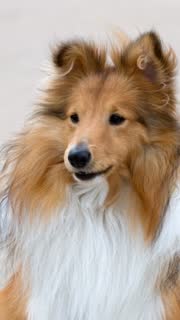
How do dog talking apps work?
- Drawn or animated mouth: you mark the mouth on your photo (ChatterPix) or the app fits a cartoon mouth and eyes to it (My Talking Pet), and that mouth moves while your recording plays.
- AI lip sync: an AI video model makes a new video from your photo in which the dog's own mouth, jaw and head move with the voice (Talking Pet App, TalkingPets.ai, PetTalk AI). It takes a few minutes instead of being instant, and looks far more like your dog really talking.
- Cartoon games: Talking Ben the Dog is a game where a cartoon dog repeats what you say. Fun, but it isn't your dog.
- Dog translators: they play sounds or show made-up "translations" of barks. They're entertainment; no app understands what a dog means.
Which one to pick
| You want | Use |
|---|---|
| Your own dog, with its real mouth moving, without installing anything | Talking Pet App (browser, $4.99 a video) or PetTalk AI (browser, first video free) |
| Hats, glasses and lots of quick clips on your phone | My Talking Pet (app, Pro subscription) |
| The whole dog moving or dancing | WigglePet (app) |
| A cartoon dog to play with | Talking Ben the Dog (game) |
Make your dog talk, step by step
- Choose one sharp photo of your dog or cat. A sharp photo of one pet, face and mouth clearly visible, looking roughly at the camera, in good light. Side views work but move less.
- Upload it on the home page (no sign-in needed). Tapping the button confirms the photo is allowed: Photos of your own pets only (dog, cat, rabbit, bird, hamster and more): one pet, or two or more side by side.
- Give your pet a voice: type the words, record your voice, upload an audio file, or pick one of 43 songs. You can play it back before you go on (typed words are read aloud for you when you press Make).
- Pay for just that video ($4.99, one payment, no subscription), or use credits from a pack.
- Wait 2 to 5 minutes (about 10 for a voice over 15 seconds). The video shows up in My videos when it's ready.
- Download the MP4 (on iPhone, Save to Photos) and post it, labelled as AI-generated.
Things your dog could say
- Mom, we need to talk about the treats. I'm not getting nearly enough of them.
- Good morning! It's breakfast time. It's been breakfast time for an hour.
- I'm sorry about the shoe. It looked at me first.
- Where were you? I waited by the door all day. Never leave me again.
- I love you more than treats. Okay, almost as much as treats.
More lines: birthday messages from the dog
What you get
- An MP4 as long as the voice (up to 30 seconds), 720p, in the same shape as your photo or 9:16 vertical for TikTok and Reels, with the voice you gave it (your recording or audio file, your typed words read aloud, or the song you picked), no watermark.
- The mouth opens and closes in time with every word
- Small head turns and blinks so it looks alive
- The rest of the photo stays as it was
Related
- Talking Pet App
- How to make your dog or cat talk from a photo
- How to make your cat talk (talking cat video from a photo)
- Talking pet websites: make your pet talk online, no app
- Can ChatGPT make my dog talk in a video?
- Make your pet talk in your own voice
- Which pet photos work for a talking pet video?
- Talking pet video not working? Fixes
- Animal talking app: make a rabbit, bird or any pet talk
- All guides