
How to make your dog or cat talk from a photo
Updated · Talking Pet App
Upload one clear photo of your dog or cat, then give it a voice: type the words and pick a pet voice, record yourself, upload an audio file, or pick Happy Birthday. The AI moves your pet's real mouth in time with the voice, and a few minutes later you download an MP4 of up to 15 seconds. It runs in the browser, so there's no app to install, and you pay $4.99 for that one video instead of a subscription.
Step by step
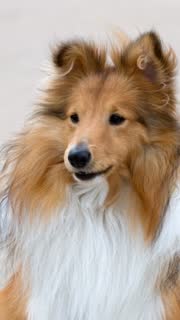
- Choose one sharp photo of your dog or cat. A sharp photo of one pet, face and mouth clearly visible, looking roughly at the camera, in good light. Side views work but move less.
- Upload it on the home page (no sign-in needed). Tapping the button confirms the photo is allowed: Photos of your own pet only (dog, cat, rabbit, bird, hamster and more), one pet per photo.
- Give your pet a voice: type the words, record your voice, upload an audio file, or pick Happy Birthday. You can play it back before you go on.
- Pay for just that video ($4.99, one payment, no subscription), or use credits from a pack.
- Wait 2 to 5 minutes. The video shows up in My videos when it's ready.
- Download the MP4 (on iPhone, Save to Photos) and post it, labelled as AI-generated.
Ways to give your pet a voice
- Type what your pet says (up to 280 characters) and pick a voice: Playful pup, Big dog, Sassy cat, Sweet and soft.
- Record yourself in the browser, up to 15 seconds.
- Upload an audio or video file: the first 15 seconds are used.
- Pick a song: Happy Birthday.
What you get
- An MP4 as long as the voice (up to 15 seconds), 720p, in the same shape as your photo, with the voice you gave it (your recording or audio file, your typed words read aloud, or the song you picked), no watermark.
- The mouth opens and closes in time with every word
- Small head turns and blinks so it looks alive
- The rest of the photo stays as it was
Photos that don't work well
- Far away or tiny in the frame: the mouth is too small to move well. Crop close to the face.
- Mouth hidden by a toy, a paw or a bowl.
- Dark, blurry or heavily filtered photos.
- Two pets in one photo: use one pet per photo.
- Photos of your own pet only (dog, cat, rabbit, bird, hamster and more), one pet per photo.
- No people in the photo: no selfies, no friends, no children, no public figures.
Post it like a message from your pet
Write the caption as your pet: "Mom, I need to talk to you about the treats."
- When the dog finally says what he's been thinking
- My cat has a message for you
- Happy birthday from the goodest boy
If something goes wrong
If a video fails to generate, its credits go back to your balance automatically and you can try again. If you're not happy with your first paid video, you get a full refund within 7 days. You can delete your photos and videos from My videos at any time.
Related
- Talking Pet App
- How to make your dog sing Happy Birthday
- How to make your cat talk (talking cat video from a photo)
- Is there a free talking pet app?
- Talking pet apps compared
- Can ChatGPT make my dog talk in a video?
- Make your pet talk in your own voice
- Which pet photos work for a talking pet video?
- Talking pet video not working? Fixes